

Collection:
Tablet Stylus Pens
Tablet pens at Ennap.com: the Apple Pencil Pro and Apple Pencil (USB-C) for iPad, the Xiaomi Focus Pen Pro, the HUAWEI M-Pencil (3rd generation) and HONOR pens.
5 products
Filter


HONOR CHOICE TNHCHOP Pencil Stylus for Pad 10, Pad 9 and Pad X9a
Choose your option


Apple Pencil Pro
Choose your option

Xiaomi Smart Pen (2nd generation)
Choose your option
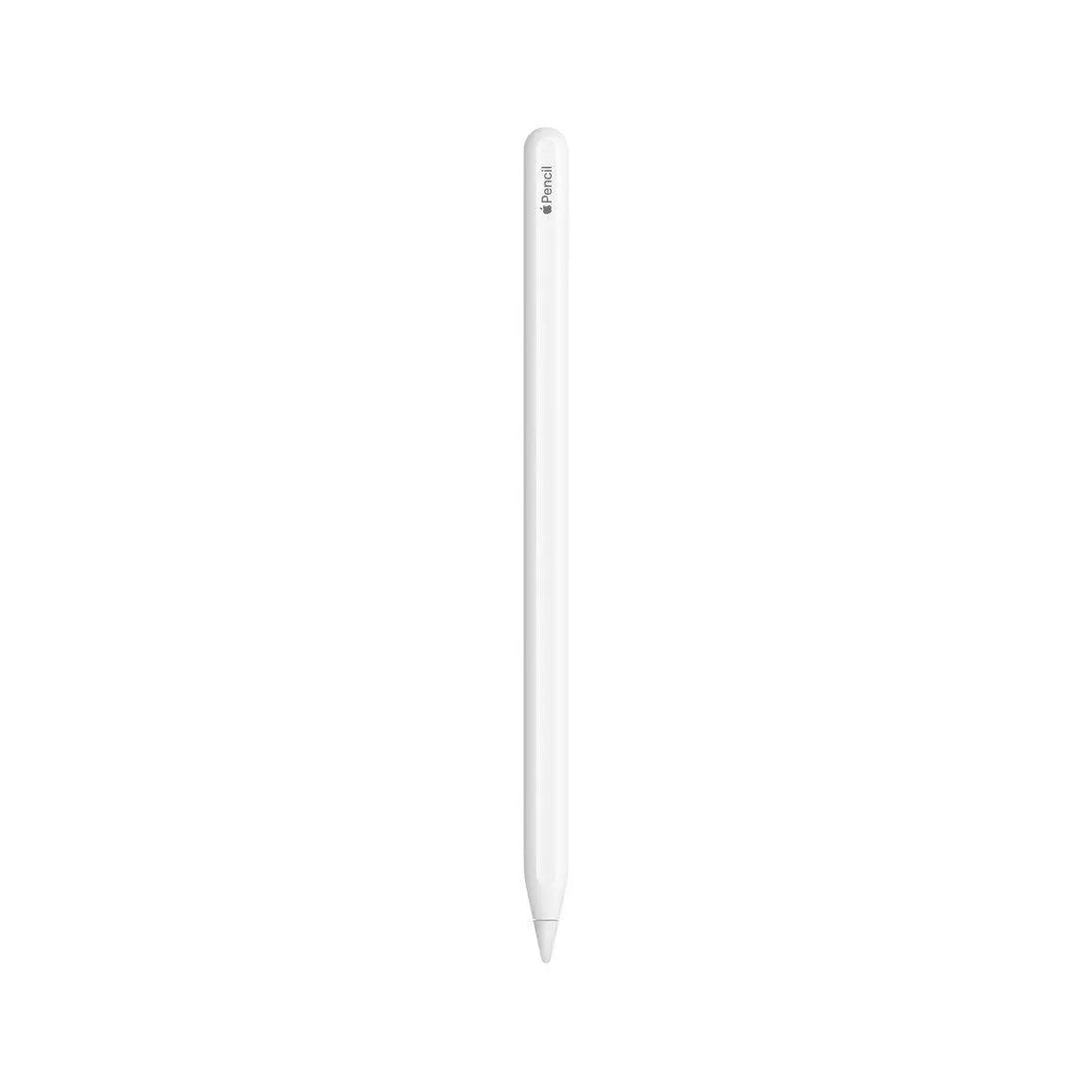

Apple Pencil (2nd Generation)
Choose your option


Xiaomi Focus Pen Pro For Pad 6S Pro 12.4, Pad 7 Series, Pad 8 Series
Choose your option
How to Choose a Tablet Pen
Start with your tablet, because every tablet pen pairs with specific models only. On iPad, the Apple Pencil Pro works with the iPad Pro M5 and M4, the iPad Air M4, M3 and M2 and the iPad mini (A17 Pro). Line weight follows how hard you press, a squeeze opens a tool palette without leaving the drawing, barrel roll turns shaped brushes as you rotate the pencil, a light haptic tap confirms each gesture, and Find My shows where you left it. It pairs and charges on the magnetic side of the iPad and needs iPadOS 17.5 or later.
The Apple Pencil (USB-C) fits the widest range of devices: the iPad (A16), the iPad (10th generation), the iPad mini and many iPad Air and iPad Pro models, plus both displays of the iPhone Duo after an iOS update. It keeps pixel-perfect precision and tilt for shading, and it pairs and charges through the USB-C port under its sliding cap. It has no pressure sensitivity, so if you draw and want the line to follow your pressure, choose the Pencil Pro. The Apple Pencil (2nd Generation) attaches and charges magnetically and switches tools with a double-tap on earlier models such as the iPad Air (4th generation).
Android tablets use pens made for their own screens. The Xiaomi Focus Pen Pro reads 16,384 pressure levels at a 240Hz sampling rate and has no physical buttons: you pinch, double-press or slide along the body to switch tools and brush size, and a haptic motor confirms each gesture. It works with the Xiaomi Pad 8 series, the Xiaomi Pad 7 series and the Xiaomi Pad 6S Pro 12.4. The Xiaomi Focus Pen covers the Pad 7, Pad 7 Pro, Pad 6S Pro and POCO Pad X1 with 8192 pressure levels and up to 150 hours per charge, and the Xiaomi Redmi Smart Pen is made for the Redmi Pad Pro, with 4096 pressure levels and USB-C charging.
For a MatePad, the HUAWEI M-Pencil (3rd generation) connects over NearLink, reads more than 10,000 pressure levels on supported models and charges on the top edge of the tablet; some MatePad 11.5 models need the M-Pencil charger, as its product page explains. The HONOR Magic-Pencil 4s (USB-C) weighs 10 g, comes with soft and hard nibs and writes for up to 10 hours on the HONOR Pad 20, and the Honor Magic Pen is made for HONOR foldable phones. On Samsung, the Galaxy Tab S11 Ultra comes with its S Pen in the box. The tablets themselves are on our tablets page, and a case or a tablet keyboard is in tablet accessories.
Tablet Pens – Frequently Asked Questions
How much is a tablet pen?
The price depends on the brand and the features, from the Xiaomi Redmi Smart Pen to the Apple Pencil Pro. The current price of each pen is shown on its product page.
Which Apple Pencil works with my iPad?
The Apple Pencil Pro works with the iPad Pro M5 and M4, the iPad Air M4, M3 and M2 and the iPad mini (A17 Pro). The Apple Pencil (USB-C) works with those models too, and also with the iPad (A16), the iPad (10th generation) and earlier iPad Air and iPad Pro models. Each product page lists the compatible iPads.
Does the Apple Pencil work with the iPad (A16)?
Yes, the Apple Pencil (USB-C) does. The Apple Pencil Pro and the Apple Pencil (2nd Generation) do not support the iPad (A16) or the iPad (10th generation).
What is the difference between the Apple Pencil Pro and the Apple Pencil (USB-C)?
The Apple Pencil Pro adds pressure sensitivity, squeeze, barrel roll, haptic feedback, double-tap and Find My, and it pairs and charges magnetically on the iPad. The Apple Pencil (USB-C) keeps pixel-perfect precision, low latency and tilt sensitivity, pairs and charges by cable, and works with more iPad models and with iPhone Duo.
Does the Apple Pencil work with iPhone?
Only with iPhone Duo, and only the Apple Pencil (USB-C), which writes on its inner and outer displays after an iOS software update. The Apple Pencil Pro does not support iPhone Duo.
Is there a pen for the Samsung Galaxy Tab A9 or A7?
The Galaxy Tab A9 and Galaxy Tab A7 do not support the S Pen, so they work with a capacitive stylus such as the Anker Pencil Drawing Stylus Pen, which acts like a fingertip without pressure levels. Galaxy Tab S models support the S Pen, and the Galaxy Tab S11 Ultra includes it in the box.
Which pen works with the Xiaomi Pad 7 and Pad 8?
The Xiaomi Focus Pen Pro works with the Xiaomi Pad 8 series, the Xiaomi Pad 7 series and the Xiaomi Pad 6S Pro 12.4. The Xiaomi Focus Pen works with the Pad 7, Pad 7 Pro, Pad 6S Pro and POCO Pad X1. The Redmi Pad Pro uses the Xiaomi Redmi Smart Pen.
Which pen works with the HUAWEI MatePad 11.5?
The HUAWEI M-Pencil (3rd generation) works with the MatePad 11.5 S and the MatePad 11.5 models on its compatibility list, and with some earlier MatePad 11.5 models through the HUAWEI M-Pencil charger. It also works with MatePad Pro, MatePad Air and MatePad 12 X models listed on its product page.
Does a tablet pen need charging?
Active pens do. The Apple Pencil Pro, the Xiaomi Focus Pen Pro and the HUAWEI M-Pencil (3rd generation) charge magnetically on the tablet, while the Apple Pencil (USB-C), the Xiaomi Redmi Smart Pen and the HONOR Magic-Pencil 4s (USB-C) charge through a USB-C cable. A capacitive stylus has no battery.
Are the tablet pens at Ennap.com original?
Yes. Every tablet pen sold at Ennap.com is an original product from its brand, and the warranty for each pen is shown on its product page.